Deadzone is the small range of stick movement your controller or game deliberately ignores, so tiny unintended movements never reach the game. This tester shows your stick's live axis values and lets you apply a deadzone filter on top, so you can see exactly how much movement gets swallowed at each setting — handy for diagnosing drift and for tuning competitive sensitivity.
What is deadzone?
Every analog stick reports slightly noisy values at rest — a healthy stick might sit at 0.02 instead of a perfect 0.00. Without a deadzone, that noise would make your character creep or your camera wander. The deadzone is a threshold, usually expressed as a percentage of full stick travel, inside which all input is treated as zero.
Deadzone exists in two places. The controller's firmware may apply a small hardware deadzone before values ever reach your PC, and games apply their own software deadzone on top — typically 5–15% by default. Both do the same job: separate intentional movement from sensor noise and minor wear.
If you are new to the concept, our guide on what deadzone is walks through hardware versus software deadzones with visual examples.
How do I test my deadzone?
Connect your controller and watch the Axes panel with your hands off the sticks. Note the resting values — anything inside ±0.05 is normal noise. Now push a stick very slowly from center and watch when the value starts climbing steadily instead of jittering; the point where clean movement begins is roughly where your effective deadzone ends.
Next, use the deadzone slider on this page. Set it to 10% and repeat the slow push: you will see small deflections get flattened to zero while larger ones pass through. That is exactly what a game does with a 10% deadzone setting, and it is why mild stick drift disappears once the deadzone exceeds the drift value.
Test both sticks independently. It is common for one stick to need a slightly larger deadzone than the other after months of uneven wear — most games only offer a single global setting, so tune for the worse of the two.
What deadzone setting should I use?
Start with the game default, usually 5–15%. Defaults exist because developers tune them against real stick hardware variance, and for most players the default is correct. Only change it if you have a specific reason: visible drift, or a competitive need for finer control.
Competitive players often run lower deadzones — 0–5% — because a smaller deadzone means the smallest possible stick movement registers, which shortens effective response time in aim-intensive games. The tradeoff is that any sensor noise or mild wear becomes visible, so low deadzones demand healthy sticks.
If your stick drifts, raise the deadzone just past the drift value instead of replacing the controller immediately. A stick resting at 0.09 plays perfectly with a 10% deadzone. This is a mask, not a repair — but for mild wear it can add many months of life. Confirm the drift first with a stick drift test so you know the number you are compensating for.
Deadzone vs stick drift — what's the difference?
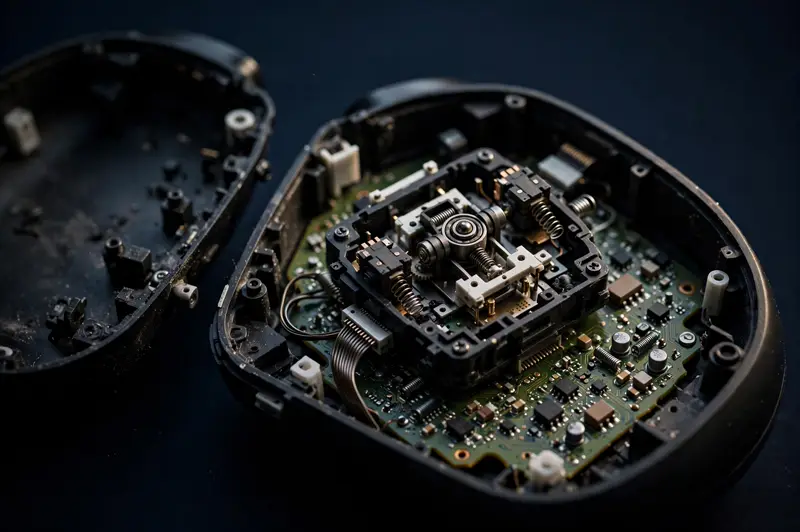
Deadzone is a software filter; stick drift is a hardware fault. Drift is the stick reporting a false position because its sensor is worn or dirty. Deadzone is the intentional blind spot that hides small false readings. They interact constantly, which is why people confuse them.
Think of it this way: drift is the disease, deadzone is the painkiller. Raising the deadzone treats the symptom — your character stops moving on its own — but the underlying sensor keeps degrading. When the drift value grows past the maximum deadzone your game allows, the symptom returns and the hardware needs attention.
That is also why testing matters more than guessing. If you cannot tell whether you are compensating for noise or for real wear, measure it: the full gamepad tester shows every axis value live, so you always know which problem you actually have.
Frequently asked questions
Is deadzone good or bad?
Neither — it is a tool. A small deadzone is essential because no analog stick is perfectly precise at rest. Problems only start when the deadzone is set too high (you lose fine control near the center) or used to hide severe hardware wear that should be repaired instead.
Why do my sticks feel different after changing deadzone?
Because you changed the response curve near the center. Lower deadzone makes micro-adjustments register sooner, which feels twitchy until you adapt. Higher deadzone creates a "dead" feeling around neutral. Give yourself a few matches to adjust after any change.
Do all games let me change deadzone?
No. Most shooters and competitive titles expose deadzone or "stick sensitivity threshold" settings, but many casual games use a fixed internal value you cannot see. On PC, Steam Input lets you set per-game deadzones for almost any controller through the Gamepad API-compatible Steam overlay.
Can deadzone fix stick drift permanently?
No. Deadzone hides drift up to the configured percentage, but mechanical wear keeps progressing underneath. Re-test every month or two — when the resting value climbs past your deadzone setting, it is time to clean or repair the stick rather than raise the filter again.