Stick drift is when an analog stick reports movement even though you are not touching it. This free test connects your controller through the browser, reads the live axis values of both sticks, and flags any resting value outside ±0.05 as drift. The whole check takes about 30 seconds and needs no download — just press any button on your gamepad to begin.
How do I test for stick drift?
Connect your controller, press any button so the browser detects it, then leave both sticks completely untouched and watch the Axes panel. Healthy sticks rest between -0.05 and 0.05 on both the X and Y axes. If any axis sits outside that range with your hands off the controller, that stick is drifting.
For a thorough check, run the 30-second protocol: leave the sticks alone for five seconds and note the resting values, then move each stick in slow full circles three times and let it snap back to center on its own. A healthy stick returns to within ±0.05 every time.
Repeat the circle test on both sticks. Drift often affects only one axis — for example, the left stick's X axis might sit at 0.12 while everything else reads clean. The per-axis readout tells you exactly which sensor is failing, which matters if you plan a repair.
Test with the controller you actually play with, connected the way you actually play. A stick that behaves on USB but drifts on Bluetooth (or vice versa) points to a connection issue rather than a worn sensor, so test both if you use both.
What do the axis numbers mean?
Each axis reports a value from -1.00 to 1.00, with 0.00 as the stick's neutral center. Small deviations are normal — no mass-produced stick rests at exactly zero. The numbers tell you precisely how far the stick's internal sensor has wandered from neutral, which is far more reliable than judging by feel in a game.
- ±0.05 or less — healthy. Normal sensor noise. No action needed.
- 0.05 to 0.15 — mild drift. You may notice camera creep or menu scrolling. Usually playable by raising the in-game deadzone; try the deadzone tester to see how much filtering you need.
- Above 0.15 — severe drift. The stick is clearly faulty. Cleaning sometimes helps, but this level usually means the sensor is worn and needs repair or replacement.
The ±0.05 threshold is not arbitrary. Potentiometer-based sticks produce tiny voltage fluctuations at rest, and game developers know it — most games ship with a default deadzone of 5–15% precisely to swallow this noise. Drift becomes a real problem only when the resting value climbs past what the deadzone hides.
Write down your numbers before attempting any fix. A before-and-after comparison — say, 0.22 dropping to 0.03 after cleaning — is the only objective way to know whether the fix worked, and it is useful evidence if you ever file a warranty claim.
What causes stick drift?
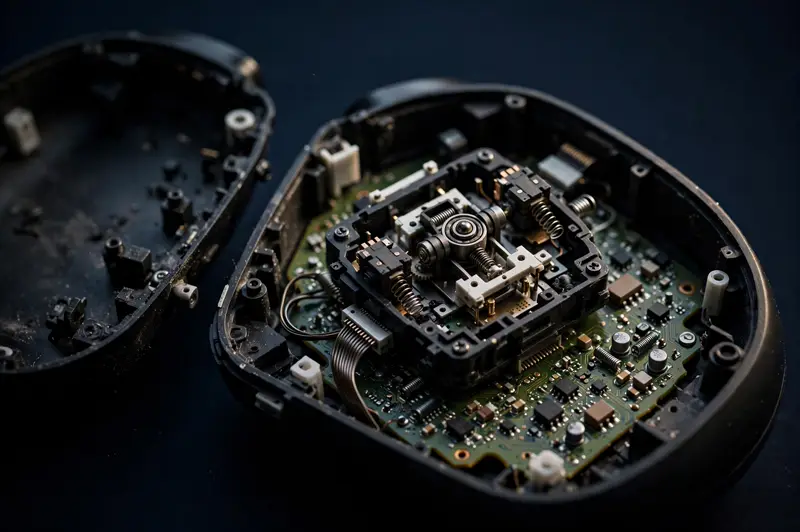
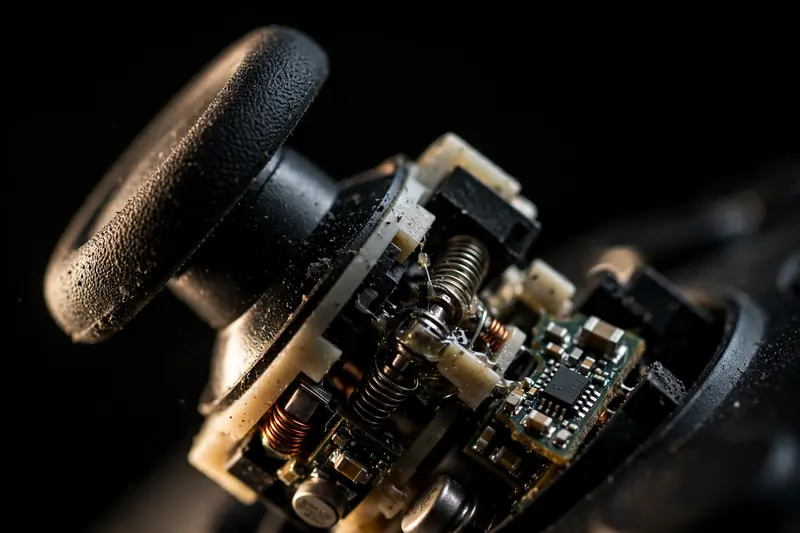
Most drift comes from worn potentiometers: the tiny variable resistors inside the stick module. A metal wiper scrapes back and forth across a resistive track millions of times, and eventually the track wears unevenly, so the stick reports a false position at rest. This is simple mechanical wear, and it is why heavy players see drift first.
The second most common cause is dust and debris packed under the stick cap, which physically prevents the mechanism from centering. This type is the easiest to fix and the most satisfying to diagnose, because the numbers improve immediately after cleaning. Spring fatigue — the centering spring losing tension — is a distant third.
To understand the mechanism in detail, read why stick drift happens, which explains how potentiometer wear differs from magnetic Hall Effect sensors that never develop drift at all.
Can stick drift be fixed?
Yes, often. Dust-related drift usually clears up in minutes with compressed air or a cotton swab lightly dampened with isopropyl alcohol around the stick base. Recalibration through your platform's settings and a larger in-game deadzone can mask mild wear completely.
If the potentiometer track itself is worn, cleaning will not help — the false reading comes from damaged hardware, not dirt. The permanent fixes are replacing the stick module (inexpensive parts, but soldering is usually required) or upgrading to Hall Effect sticks, which use magnets instead of physical contact and do not wear out.
For the full step-by-step process, see how to fix stick drift. And if you just want a quick overall health check first, run the main gamepad tester to confirm every button and trigger while you are at it.

Frequently asked questions
How long does a stick drift test take?
About 30 seconds per controller. Five seconds of hands-off observation catches obvious drift, and three slow stick rotations confirm whether the stick returns to center reliably. Testing a second controller takes another 30 seconds — just connect it and repeat.
Will this test damage my controller?
No. The test is strictly read-only: it observes the values your controller already reports through the W3C Gamepad API and changes nothing on the device. You cannot break anything by testing.
Does stick drift get worse over time?
Mechanical wear only moves in one direction, so yes — a stick reading 0.08 today will likely read higher in a few months of regular play. Dust-related drift is the exception: it stays roughly constant until cleaned. Re-test monthly if you play competitively.
Can I use these results for a warranty claim?
The numbers help. Manufacturers usually ask for a description of the fault; being able to state "left stick X axis rests at 0.24" plus a screenshot of the test is far more persuasive than "it drifts sometimes." Check your warranty terms first — opening the controller almost always voids it.