This vibration test fires your controller's rumble motors directly through the browser using the Gamepad API's vibration actuator. Press the Test Vibration button and both the weak and strong motors should spin for about a second. It works in Chrome and Edge; Firefox support is partial and depends on the controller and connection type.
How do I test vibration?
Connect your controller, press any button so the browser detects it, then press the Test Vibration button on this page. You should feel both rumble motors fire in sequence for roughly one second each. If you feel nothing, try holding the controller loosely — a death grip can mask the weaker motor.
Test each motor's character, not just its presence. The weak motor produces a high-frequency buzz you feel in your fingertips; the strong motor produces a low thud you feel in your palms. One working while the other stays silent usually means a disconnected or burnt-out motor, not a software problem.
If vibration works here but not in your game, the controller is fine — check the game's settings. Many games have separate rumble toggles, and some disable vibration during cutscenes or in menus where you might be testing.
Why is vibration not working?
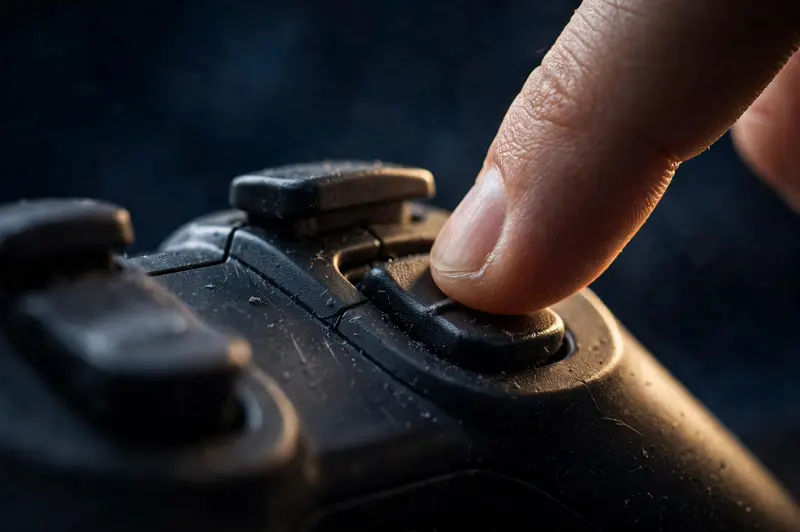
The most common reason is browser support. Chrome and Edge implement the W3C Gamepad API vibration actuator fully; Firefox supports it only for some controllers, and Safari support is minimal. If the button does nothing, try Chrome first before suspecting the hardware.
Connection type matters too. Some controllers disable or limit rumble over Bluetooth to save battery — the PS5 DualSense, for example, delivers its full haptics over USB but a reduced experience wirelessly. Switch to a cable and re-test; if rumble appears, the motors were never broken.
Software conflicts are the third suspect. Steam Input, DS4Windows, and similar tools can intercept the controller exclusively, which blocks the browser's access to the vibration actuator. Close background controller tools, then reload this page and test again.
Finally, check the controller itself: a motor that rattles, sounds uneven, or only works at certain angles has a mechanical problem — usually a worn eccentric weight or a loose solder joint. Controller-specific quirks are covered on our PS5 DualSense test and Xbox controller test pages.
What do the two rumble motors do?
Almost every modern controller contains two eccentric rotating mass motors: a small "weak" motor and a large "strong" motor. Each is an off-center weight spun by a tiny electric motor — the imbalance is what you feel as vibration. Spinning them at different speeds and in different combinations is how games create varied rumble effects.
Game designers map the motors to different feedback. The strong motor typically handles big impacts — explosions, collisions, recoil — while the weak motor handles texture: engine hum, surface grain under tires, a bowstring's tension. When a game feels "flat," it is often because only one motor is firing.
Newer controllers add more. The DualSense replaces classic rumble with voice-coil haptics that can simulate fine textures like rain or sand, which is a different technology from the two-motor setup this page tests. For everything else, run the full gamepad tester to check buttons, sticks, and triggers in the same session.

Frequently asked questions
Is it safe to run the vibration test repeatedly?
Yes. The test fires each motor for about a second at moderate intensity — far gentler than an hour of gameplay. Rumble motors are rated for thousands of hours of operation; a few test pulses cause no measurable wear.
Why does vibration feel weaker on Bluetooth?
Several controllers reduce rumble intensity over Bluetooth to conserve battery, and Bluetooth's lower bandwidth can make effects feel less crisp. For the strongest, most accurate rumble, test over USB. If the difference is dramatic rather than subtle, check for low battery first.
Can I test trigger rumble (Xbox impulse triggers)?
Not through a browser. The Xbox impulse triggers are a proprietary Microsoft feature outside the standard Gamepad API, so no web page can address them individually. This test covers the two main chassis motors, which is what the API exposes.
One motor works but the other doesn't — is it broken?
Most likely, yes — if you have ruled out browser, connection, and software causes above. A single dead motor is a common failure after drops or heavy use. The controller remains fully playable; only rumble fidelity is reduced. Replacement motors are cheap if you are comfortable opening the shell.