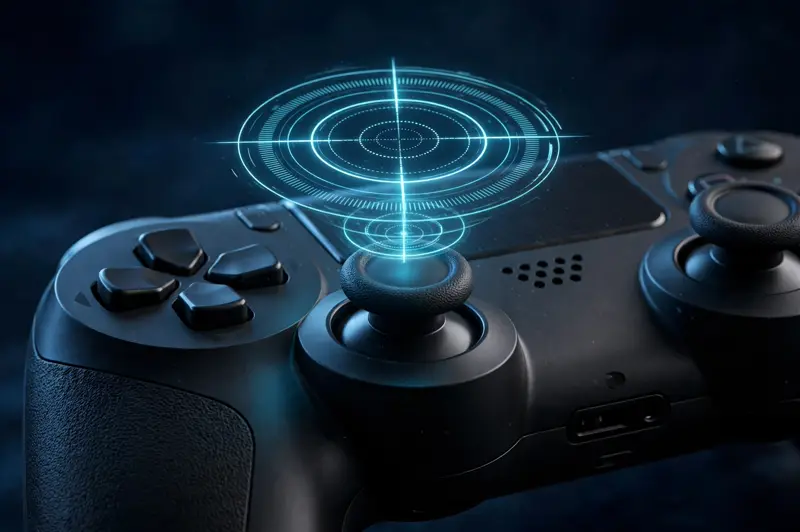
A controller deadzone is the small area around an analog stick's resting position where your input is ignored. If your stick sits at 8% tilt but your game's deadzone is set to 10%, nothing happens on screen. Deadzones exist because no analog stick returns to a perfect zero — without them, worn or imperfect sticks would make your character drift on their own.
What is controller deadzone?
A deadzone is a circular threshold at the center of an analog stick's range. Any stick deflection smaller than the threshold produces zero output. It is measured as a percentage of the stick's full travel — a 10% deadzone ignores the first tenth of movement in every direction.
Think of it as a filter between your thumb and the game. Raw stick values run from -1.0 to 1.0 on each axis. The deadzone remaps everything below the threshold to 0.0, then rescales the remaining range so full tilt still reaches 1.0.
Every modern game applies one, whether or not it shows you a slider. Fighting games, shooters, and racing titles all ship with default deadzones, typically between 5% and 15%.
There are two shapes. A radial deadzone applies the threshold to the stick's total deflection (the distance from center), which feels natural for aiming. An axial deadzone applies it per-axis, so a slight diagonal tilt can register on one axis but not the other. Most modern games use radial; if diagonal movement feels inconsistent, axial deadzone in an older title is a likely culprit.
Why does deadzone exist?
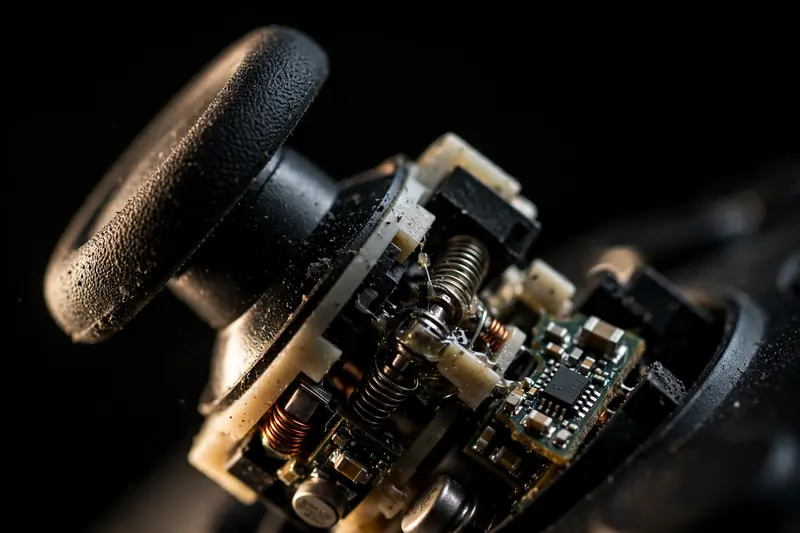
Deadzone exists because analog sticks are imperfect mechanical devices. The potentiometers inside them develop tiny resistance variations from manufacturing tolerances, dust, and wear, so a stick at rest rarely reports exactly 0.00.
Without a deadzone, those micro-readings would translate into constant on-screen movement: crosshairs crawling, menus scrolling, characters walking. Early console games without proper deadzones were notorious for this.
The deadzone also absorbs the natural looseness of a stick's center detent. Even a brand-new controller benefits from a small one — it is not a sign that anything is broken.
What is a good deadzone setting?

For most players, the game's default — usually 5% to 15% — is correct. Competitive FPS players with healthy sticks often run 0–5% for maximum responsiveness, while racing and flight games feel better at 10–20% where smooth small corrections matter more than twitch response.
Start from the default and lower it in small steps. If you notice unwanted movement when your thumbs are off the sticks, you went too low. The right value is the smallest one that keeps your aim still at rest.
- FPS / shooters: 0–5% for responsive aim, provided your sticks are healthy. Many pros settle around 4–6%.
- Racing: 8–15% smooths steering corrections and prevents jitter on straights.
- Action / third-person: the 5–10% default is fine; camera drift is the main thing to watch.
- Fighting games: deadzone matters less; input consistency and the D-pad matter more.
Never copy someone else's number blindly. Deadzone interacts with your specific controller's wear level — a value that works on a new pad may cause drift on a worn one.
Deadzone vs stick drift — what's the difference?
Deadzone is a software filter; stick drift is a hardware fault. Drift means the stick's sensor reports a false position at rest — say 0.25 on the X axis — because the potentiometer track is worn or dirty. Deadzone simply hides drift smaller than its threshold.
This distinction matters: raising your deadzone masks mild drift but does not fix it. If drift exceeds your deadzone, movement leaks through anyway. And a large deadzone costs you fine control near the center, which is exactly where precise aiming happens.
The correct order is: first test for stick drift to see your stick's true resting values, then set a deadzone just above the noise — not the other way around.
How do I tune my deadzone?
Most games expose deadzone under controller or sensitivity settings — look for "stick deadzone," "inner deadzone," or "minimum input threshold." Adjust in 1–2% steps and re-check at rest between changes.
For a system-wide setting, use Steam Input (per-controller calibration and deadzone curves), the Xbox Accessories app (stick sensitivity curves on supported controllers), or your console's accessibility options. These apply before the game sees the input.
To find your stick's true resting values, run a deadzone test on our gamepad tester: leave both sticks untouched and read the axis values. Anything consistently above ±0.05 at rest is noise your deadzone needs to cover — anything above ±0.15 is drift worth investigating.
Some games split the setting further. "Inner deadzone" is the center filter described here; "outer deadzone" (or max input threshold) sets how close to full tilt you must push to reach 100% output. Lowering outer deadzone helps players who can't comfortably push sticks to the edge, while raising it prevents accidental max-inputs. Tune inner first — it affects far more of your play.
Frequently asked questions
Should I set my deadzone to 0?
Only if your sticks are nearly perfect. A zero deadzone gives the most responsive feel, but even new controllers report tiny resting values, and any wear will cause visible drift. Most competitive players land between 3% and 6% rather than true zero.
Why does my aim feel delayed after raising deadzone?
A larger deadzone eats the start of every stick movement, so small corrections take longer to register. If aiming feels sluggish, lower the deadzone one step and clean or check the stick for drift instead of compensating with a bigger filter.
Do deadzones affect triggers too?
Yes — most games apply a small deadzone to analog triggers (LT/RT) so resting fingers don't fire weapons. Trigger deadzone is usually fixed by the game, though some titles and the Xbox Accessories app let you adjust it.
Can deadzone fix stick drift permanently?
No. Deadzone hides drift; it never repairs the worn potentiometer causing it. Mild drift can be masked for months, but wear progresses — when drift outgrows your deadzone, cleaning or stick replacement is the real fix.